
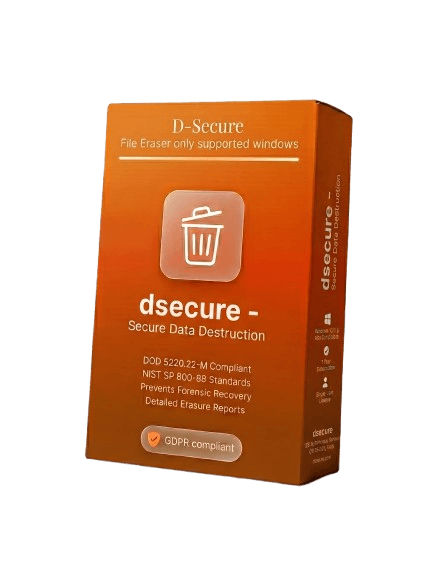
D-Secure File Eraser
When you press "Delete" on a file, the data stays on your drive — only the reference is removed. Any file recovery tool can bring it back. D-Secure File Eraser solves this by overwriting data at the sector level using internationally recognized erasure algorithms, so the original content becomes permanently unrecoverable — even under forensic analysis.
Cross-Platform Endpoint Sanitization
Works natively across Windows, macOS, and Linux — no compatibility patches or emulation layers needed
Windows
Windows 10, 11, Server 2016+ etc.
macOS
Monterey, Ventura, Sonoma, Sequoia etc.
Linux
Ubuntu, CentOS, Debian, RHEL etc.
Implementation-Ready Security Architecture
Technical capabilities that differentiate D-Secure from consumer-grade deletion utilities and basic disk cleanup tools
27+ Sanitization Algorithms
Select from NIST Clear/Purge, DoD 5220.22-M (3-pass, 7-pass), Gutmann 35-pass, HMG IS5 Enhanced, and RCMP TSSIT OPS-II. Each mapped to specific threat models for compliance-driven deployments.
CLI & Headless Mode
Run erasure tasks via command-line interface without GUI dependencies. Supports batch scripting, PowerShell integration, and silent execution for automated deployment pipelines.
REST API Integration
Trigger erasure jobs programmatically via authenticated REST endpoints. Supports webhook callbacks, JSON status payloads, and integration with SIEM platforms like Splunk and QRadar.
Task Scheduler & GPO Hooks
Configure recurring wipe jobs via Windows Task Scheduler, cron, or Group Policy Objects. Event-triggered erasure on logoff, shutdown, or domain-policy push.
NTFS ADS & VSS Clearing
Detects and destroys NTFS Alternate Data Streams, Volume Shadow Copies, and $UsnJrnl entries that standard deletion tools leave completely untouched.
SHA-256 Signed Certificates
Each erasure generates a digitally signed PDF containing file hash, algorithm used, pass count, operator ID, and UTC timestamp — cryptographically tamper-evident for audit chains.
MSI/PKG Silent Deployment
Deploy via MSI (Windows), PKG (macOS), or DEB/RPM (Linux) with zero user interaction. Supports SCCM, Intune, Jamf, and Ansible push deployment workflows.
WORM-Compliant Audit Logs
Write-Once-Read-Many log architecture ensures erasure records cannot be modified or deleted post-creation — meeting SEC Rule 17a-4 and FINRA retention requirements.
Pre-Erasure AES-256 Encryption
AES-256-CBC encryption applied before overwrite begins. If erasure is interrupted mid-process, data remains cryptographically inaccessible — zero cleartext exposure window.
Centralized Telemetry Dashboard
Real-time monitoring of erasure progress across all endpoints. Filter by asset tag, operator, erasure standard, or completion status — exportable to CSV/SIEM.
Erasure Target Categories
Six attack surfaces where D-Secure File Eraser performs sector-level data destruction — from local NTFS volumes to remote SMB shares
Sector-Level File Erasure
Overwrites exact disk sectors occupied by target files using selectable algorithms — from single-pass NIST Clear to 35-pass Gutmann. No full-disk wipe required; surrounding data remains intact.
Unallocated Space & MFT Cleanup
Scans and overwrites unallocated clusters, MFT entries, and $MFT slack space to prevent file-carving attacks. Eliminates ghost data that persists after standard Recycle Bin deletion.
Cloud Cache & Sync Destruction
Targets locally cached sync copies from Google Drive, OneDrive, and Dropbox. Clears versioned file histories and thumbnail databases that standard uninstall procedures leave behind.
Network Share & SMB Erasure
Connects to mapped network drives and UNC paths to destroy files on remote SMB/CIFS shares. Supports credential-based authentication for enterprise NAS and file server environments.
Archive & Container Sanitization
Penetrates ZIP, TAR, ISO, and VHD containers to individually shred enclosed files before destroying the archive itself. Handles nested archives and password-protected containers.
Full Volume Sterilization
Overwrites entire volumes including slack space, boot sectors, and partition tables. Essential for ITAD workflows where drives must be certified clean before reassignment or disposal.
How To Use D-Secure File Eraser?
Four steps from download to verified erasure certificate
Download D-Secure File Eraser Software
Install D-Secure File Eraser
Select Files/Folders/ Volumes To Erase
Erase & Save Report
D-Secure File Eraser can be deployed across Windows, Mac, and Linux systems to permanently erase files, folders, and traces beyond recovery. Each erasure operation uses your chosen overwrite standard and produces a verifiable audit trail.
Select the file/s or folders or search the name to erase. For organizations with distributed endpoints, the Cloud Console lets administrators execute and monitor erasures remotely — no physical access required.
Tamper-proof Erasure Report
After every erasure, a digitally signed PDF report is generated containing the file path, overwrite algorithm used, pass count, SHA-256 hash, and timestamp — ready to present during GDPR, HIPAA, or SOX compliance audits.
Regulatory Compliance Implementation
D-Secure File Eraser maps its 27+ sanitization algorithms to globally recognized data protection frameworks — here's how each standard maps to file-level operations
NIST 800-88 Rev.1
Maps File Eraser's 27+ algorithms to Clear (single-pass zero-fill) and Purge (multi-pass pattern overwrite) sanitization categories defined in SP 800-88 Revision 1.
DoD 5220.22-M ECE
Implements the Extended (7-pass) variant: alternating 0x00, 0xFF, and PRNG passes with verification reads after each cycle — exceeding baseline 3-pass requirements.
GDPR Art. 17
Automated right-to-erasure pipeline: ingest data subject requests, locate matching files across endpoints, execute verified erasure, and generate per-request audit certificates.
HIPAA §164.310
Satisfies the Device and Media Controls implementation specification (d)(2)(i) — certified ePHI disposal with cryptographic verification and chain-of-custody documentation.
SOX §802
WORM-compliant audit logs ensure erasure records meet Sarbanes-Oxley Section 802 retention requirements — immutable, timestamped, and digitally signed.
PCI-DSS v4.0
Fulfills Requirement 3.1 and 9.4.6 for cryptographic erasure of cardholder data. Supports tokenized file tracking for PCI scope reduction documentation.
IT Operational Workflows
Enterprise scenarios where certified file erasure is operationally required
Endpoint Decommissioning & ITAD
Sanitize laptops, desktops, and workstations before returning leased hardware or transferring assets between departments — with verifiable NIST 800-88 Purge certification per device.
Data Center Storage Retirement
Wipe file server volumes, NAS shares, and SAN LUNs before hardware decommissioning. Generate per-volume erasure certificates for asset disposal audit trails.
Regulatory Compliance Workflows
Automate GDPR Article 17 right-to-erasure requests across file shares. Batch-process deletion requests with per-file audit certificates for DPA submission.
M&A Due Diligence Sanitization
During mergers and acquisitions, selectively destroy confidential IP, trade secrets, and privileged communications from shared infrastructure before entity transfer.
Erasure Standards Comparison
Different erasure standards use different overwrite patterns and pass counts — here's how to pick the right one for your compliance needs
| Standard | Passes | Pattern |
|---|---|---|
| NIST 800-88 Clear | 1 | Single overwrite + verification |
| NIST 800-88 Purge | Varies | Cryptographic erase or block erase |
| DoD 5220.22-M (3-pass) | 3 | Zero → One → Random + verify |
| DoD 5220.22-M ECE (7-pass) | 7 | Extended overwrite cycle with verification |
| Gutmann | 35 | 27 fixed patterns + 8 random passes |
| HMG IS5 Baseline | 1 | Single overwrite with zeros |
| HMG IS5 Enhanced | 3 | Zero → One → Random |
| RCMP TSSIT OPS-II | 7 | Alternating zero/one patterns + random |
| Random Data | 1–3 | Cryptographically random bytes |
Which standard should I choose?
For most modern HDDs, NIST 800-88 Clear (single verified pass) is sufficient. Multi-pass standards like DoD 5220.22-M were designed for older magnetic media where data residue was theoretically detectable. For SSDs, firmware-based commands (Secure Erase / Crypto Erase) are more effective than software overwriting due to wear-leveling architecture. D-Secure File Eraser supports all these standards — pick the one your compliance framework requires.
Delete vs Format vs File Eraser
Understanding what actually happens to your data at the storage level with each method
Delete (Recycle Bin)
What happens
Removes the file pointer from the directory table. The actual data bytes stay written on disk sectors.
Data recoverable?
Yes — any recovery tool can restore the file until those sectors are reused by new data.
Format (Quick/Full)
What happens
Quick format resets the file system index. Full format writes zeros to every sector but destroys all data on the volume.
Data recoverable?
Quick: Yes. Full: Partially — some tools can recover fragments from edge cases.
File Eraser (Overwrite)
What happens
Overwrites the exact disk sectors occupied by the file with random or patterned data using verified algorithms (NIST, DoD, etc.).
Data recoverable?
No — the original binary data is physically replaced. Recovery tools return only overwritten garbage.
Frequently Asked Questions
Technical Implementation FAQ
What is file eraser software?
What is the difference between deleting a file and erasing it?
How many overwrite passes does a file eraser actually need to be secure?
Does file erasure work differently on SSDs compared to traditional HDDs?
What proof do I get after erasing files for a compliance audit?
Can file eraser software sanitize unallocated disk space and MFT records?
How does file eraser software integrate with enterprise deployments?
Is it safe to use a file eraser on a live operating system?
Talk to Our Security Engineers
Get technical guidance on deployment architecture, endpoint scale, and integration options for your infrastructure.
- Multi-endpoint deployment consultation
- API and CLI integration support
- Proof-of-concept setup assistance
- Technical documentation access